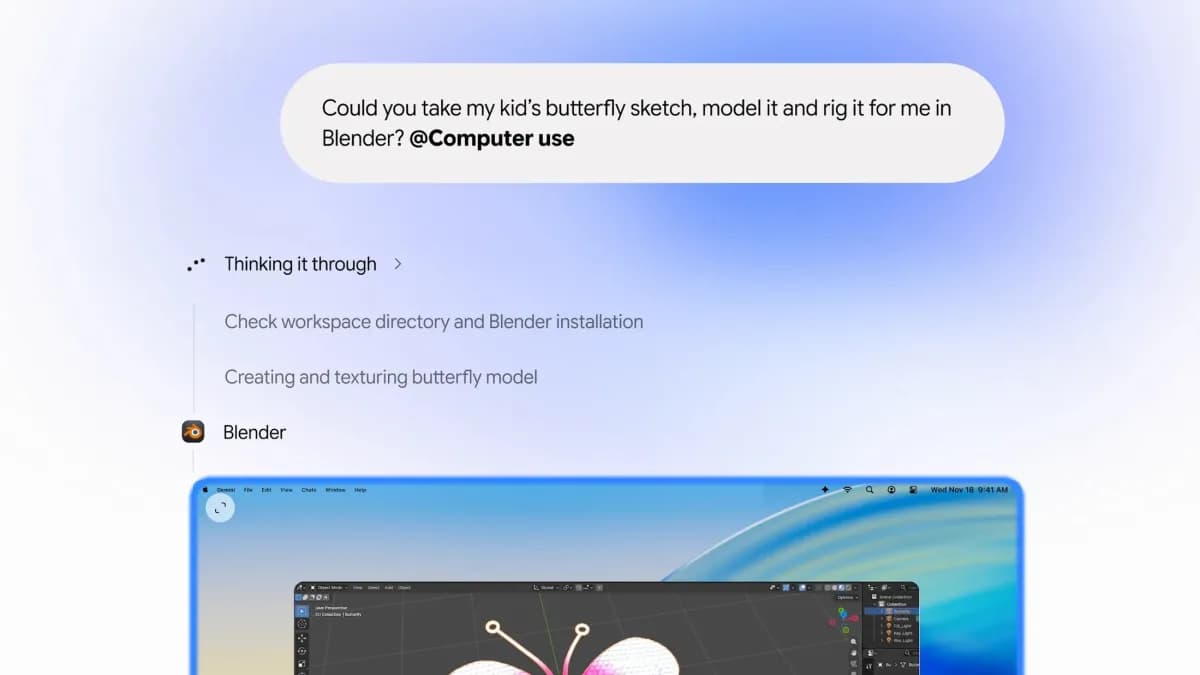
Google says its Gemini desktop app for macOS is gaining a computer-use feature that can navigate native Mac apps and websites to complete tasks. TechCrunch reports that Google describes use cases such as organizing files, filling in forms, and handling workflows that span several steps. During a task, a live preview shows what the assistant is doing while leaving the user's cursor and screen available.
The mode is designed for actions across local files, apps, and the web, rather than a single answer inside a chat. Google says users can pause, stop, and approve the agent's actions. The feature arrives as other AI services already offer forms of computer control, putting the quality of permissions and oversight alongside task completion as a key point of comparison.
Why it matters
Computer control changes the stakes of an AI assistant: a mistaken answer is different from a mistaken action in a file or account. Google's live preview and pause controls address visibility, but they do not by themselves establish how every permission is handled. Users should look for clear app access settings and confirmation prompts as the feature rolls out, especially for actions with lasting effects.
Sources and further reading
This story is written in its own words. These links identify the reporting and announcements used to verify the details above.